
Free · No watermark · No sign-up
The free video editor
that stays free.
Trim and split clips, add text, music and sound effects, then export an HD MP4 with no watermark. It runs in your browser on computer and phone, and your videos never leave your device.
…or drop your files anywhere on this page.
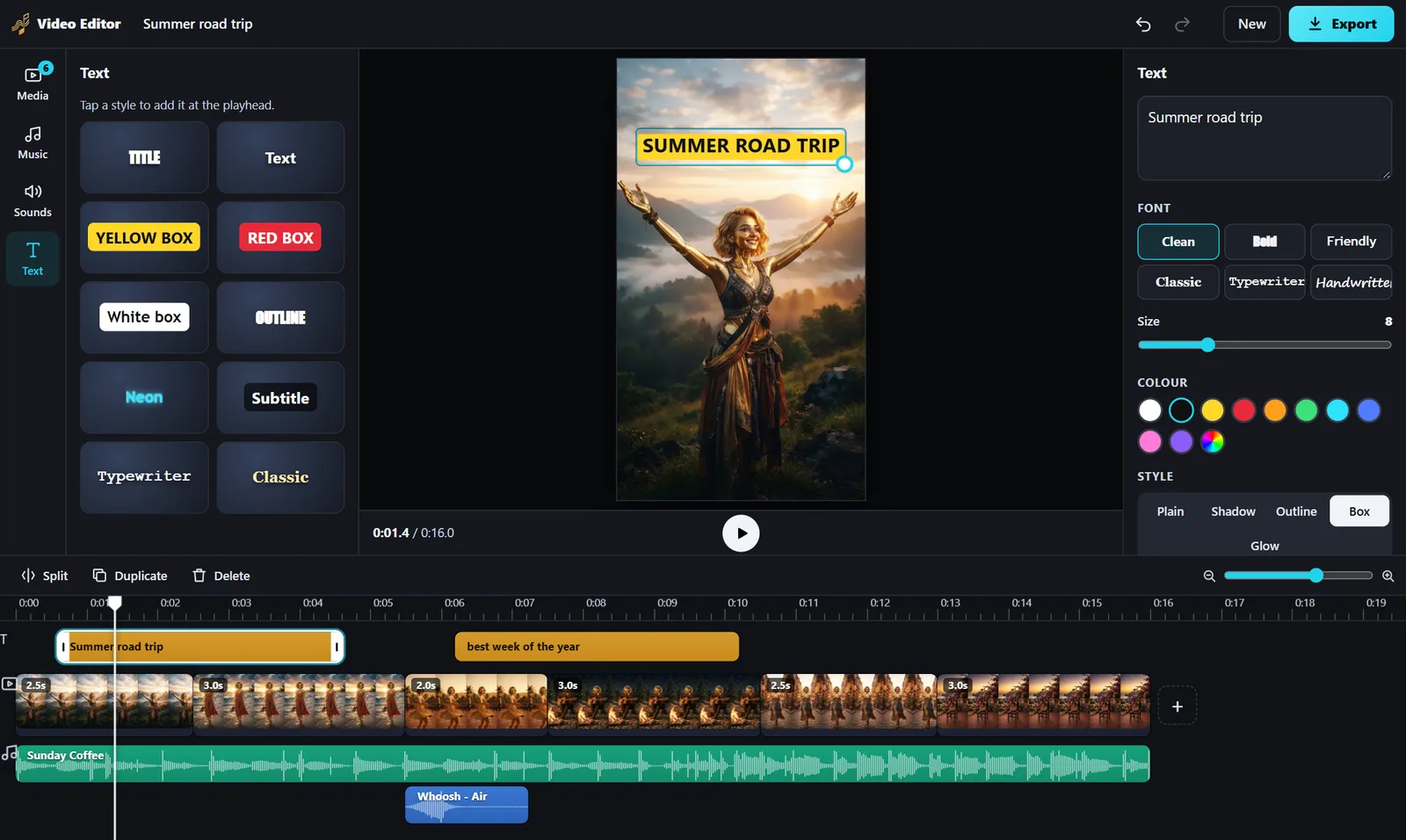
Everything you need for Reels, Shorts and YouTube
A real timeline: drag clip edges to trim, split at the playhead, drag clips into order. Undo anything.
One tap turns speech into word-by-word captions - yellow or red boxes, bold white or subtitles. Works in many languages, right on your device.
Titles, subtitles, yellow and red caption boxes, outlines and glow, with pop, fade, slide and typewriter animations.
Cross-fades, slides, zooms, flashes and wipes. Ten colour looks plus brightness, contrast, saturation and warmth. Slow-mo and speed-ups that keep voices natural.
Blur what's behind you, or swap it for a colour or a photo - no green screen. And one tap cuts the pauses out of talking clips.
Made a song on Swara Sound? Press Make a video and it's cut on the beat with your photos - or free Swara pictures - with its title on screen.
Travel montage, birthday, vlog intro, hype edit, cinematic, slideshow: add your clips and they're cut to the beat with colour, transitions and a title.
Record your voice over the video, or add one from the free text to speech. Cut all your clips to the beat of the music in one tap.
25 copyright-free tracks - lo-fi, vlog, cinematic, hip-hop, gaming - safe for monetised videos. Or add your own audio.
Whooshes, impacts, risers, pops and game sounds, ready to drop on the beat.
9:16 for TikTok, Reels and Shorts, 16:9 for YouTube, 1:1 and 4:5 for posts - with a blurred background when a clip doesn't fill the frame.
720p or 1080p MP4 at 24, 30 or 60 fps, made on your device. Share straight to TikTok or Instagram from your phone.
Why is it free?
Most editors give you a free version, then ask for Pro when you export. This one doesn't have a Pro. The editing and the export happen on your own device, so there are no servers to pay for, and Swara Sound is kept going by people who choose to support it.
Want your own song in it?
Swara Sound also makes songs. Write what it's about, and the free AI song maker sings it - birthday songs with a name, love songs, rap, anything. Then add it to your video here.
Questions
Is the video editor really free?
Yes. Every feature is free, with no sign-up, no trial and no paid plan.
Does it add a watermark?
No. Your exported MP4 has no watermark and no end card.
Are my videos uploaded?
No. Your videos, photos and audio stay on your device. The project is kept in this browser so you can come back to it - clearing your browsing data removes it.
Does it work on a phone?
Yes - Chrome on Android and Safari on iPhone (iOS 17 or newer), as well as on computers. Long or 4K videos are faster on a computer.
Can I use the music on YouTube, TikTok and Instagram?
Yes. The built-in music and sound effects are made by Swara Sound and are free to use in your videos, including monetised ones.
Is it a free CapCut alternative?
If you want an editor without a Pro plan, yes: trimming, auto captions, transitions, filters, speed, music, sound effects, voice-overs and HD export are all free, with no watermark. Background removal, removing pauses and templates are free too.
How do auto captions work?
A speech recognition model (Whisper) runs inside your browser. It downloads once (about 80 MB), then listens to your video on your device and adds captions timed to each word. You can edit any caption's words or style.